@AdGuardTeam on GitHub organization
Since March, I’ve been on the filter team at AdGuard, where I maintain filters and manage the filter infrastructure as open-source.1 A filter is the core of every ad blocker: a list of rules, written in a dedicated syntax, that defines what content to block.2 Writing and fixing these rules for each site is what a filter maintainer does.
As part of my work, I’m a committer of a third-party Korean filter that is also used by uBlock Origin and the Brave browser, and I collaborate with EasyList and uBlock Origin as needed. (e.g., uBlockOrigin/uAssets#34470, easylist/easylist#24866)
Onboarding
In my first week, I was assigned to read the AdGuard Knowledge Base (KB), which covers ad blocking technology, the filter lists the team maintains, and how to write filter rules. From the second week, I jumped straight into filter maintenance work.
- Filter lists we maintain: AdGuard filters | AdGuard Knowledge Base
- How to write filter rules: How to create your own ad filters | AdGuard KB
Even though I had studied the documentation, applying it to real work was a different matter, and I had to ask about things one by one. Most of the existing team members have years of experience in this work3 and can get through 10 or more tickets in an hour at their fastest. Normally, fixes are pushed directly to the master branch without review, but since I have no experience maintaining filters, I still ask questions on each ticket and resolve issues through PR review.
Workflow
Filter maintenance is work where judgment is built purely through the volume of experience. Ad structures differ from site to site, and the same issue can have different causes depending on the environment. So since joining and taking on filter maintenance, I feel like I’ve browsed more websites than I had in the previous five years.
Issues are filed on GitHub, and fixes are applied directly to the master branch of the repository where the issue was filed. The team’s core job is to take issues reported by users, find the root cause, and write or fix filter rules accordingly. The issues we handle fall into the following categories.
- Ad and blocking errors: newly appearing ads, incorrect blocking, site breakage caused by an ad filter, etc.
- Anti-adblock: barriers that detect ad blocking on a web service and prevent you from using it.
- Annoyances: cookie consent banners, app install prompts, pop-ups, etc. These are managed as opt-in filters separate from ads, so each can be enabled independently.
- Privacy: analytics and trackers.
Reproducing reported issues across various environments is the center of the job, and checking whether other elements should be blocked together is also part of what the team expects. So I keep repeating the same cycle: review the report → reproduce it in each environment → identify the root cause → apply the fix.
Before joining, I didn’t even know there was a filter category called Annoyances. Even if you don’t use AdGuard, I’d recommend subscribing to this filter.
Setting Up Test Environments
Until my probation period ended, I had to provide my own test devices. The products I need to reproduce issues on are as follows:
- AdGuard for Mac, AdGuard Mini for Mac (Safari)
- AdGuard for Windows
- AdGuard for Android, AdGuard Content Blocker
- AdGuard for iOS
- AdGuard Public DNS
I only own Mac and iOS devices, so I tested other platforms using virtual machines and borrowed devices from family and friends for real-world testing.
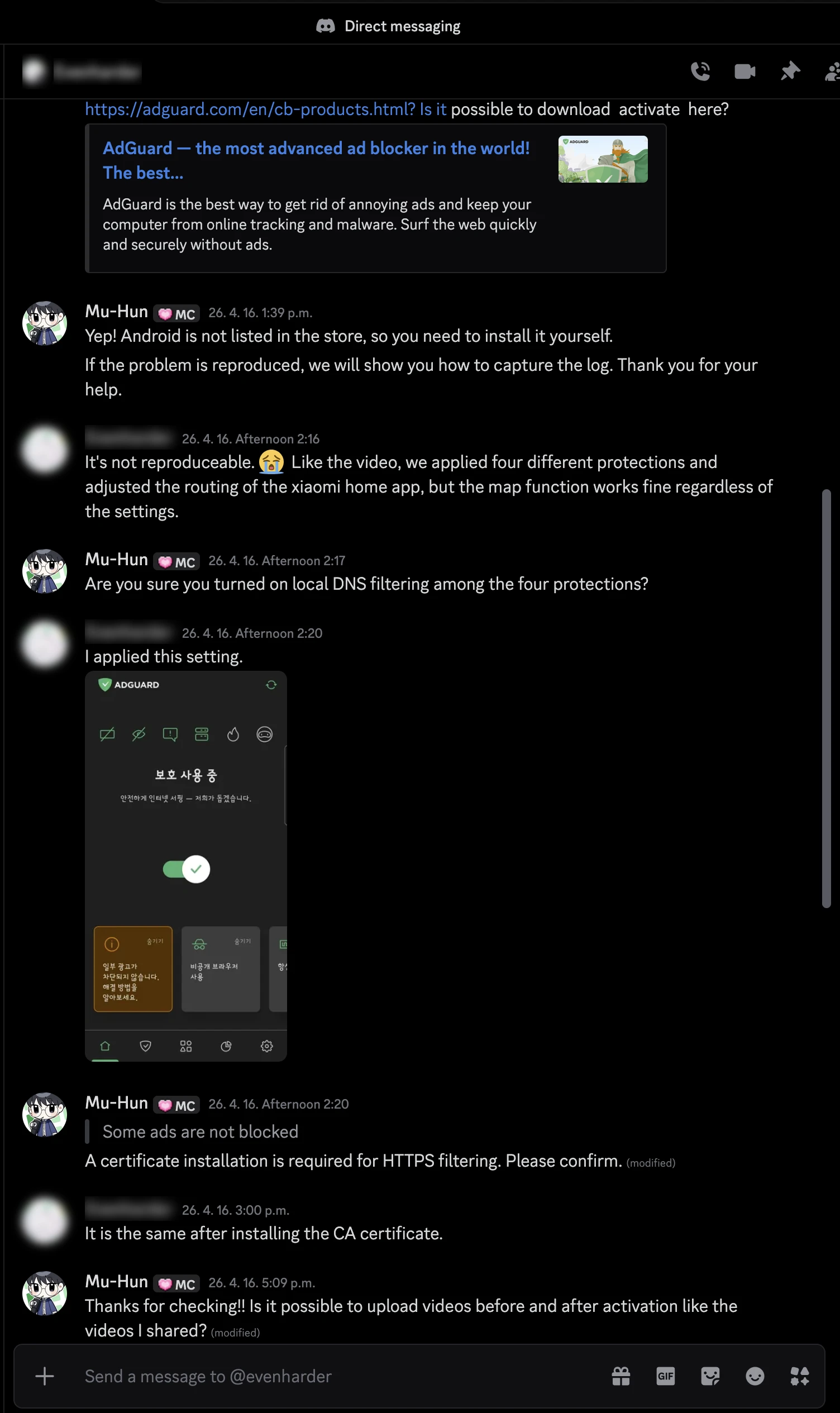
The most memorable case was a bug report about a Xiaomi robot vacuum app (AdguardFilters#228288).
I don’t own a robot vacuum, so I found an acquaintance who had the device and asked them to reproduce it.
Filter DevOps Work
I was first contacted because, after seeing the open-source work I had published, they thought I could handle JavaScript-related work on the filter team.
The filter lists that AdGuard products subscribe to are delivered through a dedicated registry repository. Every hour, the registry pulls the latest contents of the main filter repository and the third-party filters and builds them remotely. The build output is then processed by a dedicated compiler (for example, to reduce its size for mobile platforms) and deployed to a CDN.
The onboarding task was to support offline builds of the registry by downloading the filter statistics data locally (FiltersRegistry#1220). I was told it was an easy task that only required comparing code against code, but in reality I had to understand the whole deployment pipeline above, which is used across AdGuard’s products.
When I could no longer make progress on my own, so I reached out to the browser extension team, who had been maintaining this codebase, for help and got onboarded by them. In the end, the work I started in April was completed in early September, and excluding the time I took off because I was ill, it took about three months.
Now I’m taking part in maintaining the filter registry and compiler, and working through a few backlog items.
Closing — Digital Advertising and User Tracking
I once happened to check my records through Google Takeout, and I was surprised to find that it collects, in real time, a huge number of records it can use for its own marketing.
Collecting user data is inseparable from digital marketing. Ad providers like Google and Facebook curate ads based on user tracking, and the ads they recommend change depending on which ads a user looked at closely.
It no longer matters who started it. Ads track me, and I hand over my data in exchange for receiving ads. That’s why a filter maintainer’s role doesn’t stop at ad blocking; it extends to finding and blocking analytics and user-tracking servers.
One video I’d recommend is They’re even tracking HDMI, LG Isn’t the Only TV Company Spying on You - RTINGS R&D. In September, findings that the ACR(Automatic Content Recognition) on LG TVs can identify the content of devices connected through HDMI were published and caused a controversy.4
Advertising runs on user behavior data, and according to the video, when they asked around for a TV without built-in ads, they could find only a single one. I found it interesting because the testing process of telling apart the network patterns of ACR, which is a black box,5 is similar to how I work as an ad blocking filter engineer.
Previously, I used several privacy and security add-ons recommended for Firefox to protect my browsing, but now I’ve replaced them with AdGuard. Since it’s an installed product that works at the system level, it’s convenient that the same filtering applies across multiple browsers and applications. I also like that it supports userscripts.
The filters and the infrastructure behind them are both managed transparently as open-source software. The same is true of most AdGuard products, with some internal components, such as CoreLibs, being exceptions. AdGuard also helped bring
adblocksyntax highlighting to GitHub. (github/linguist#5968) ↩︎Filter lists — How ad blocking works | AdGuard Knowledge Base ↩︎
Some colleagues also participate in open-source filter projects such as EasyList and uAssets, and are members of the uBlock Origin (uBO) organization. ↩︎
I first came across this through an article titled “LG smart TVs caught logging audio with screen off and snooping on local devices - Notebookcheck News”, which cited investigations by Gamers Nexus and Level1Techs and reported that the ACR on LG OLED TVs can also identify the content of devices connected through HDMI. ↩︎
How we tested (1:19): We set up every device twice, once with ACR(Automatic Content Recognition) enabled and once with it disabled, and captured its network traffic using Wireshark. Because that traffic is encrypted we couldn’t see the exact data being sent, but we could compare destination host names, timing, traffic volume, and changes in network behavior. So, we started looking for ACR related traffic patterns. ↩︎